
Stay alert! If you don't see any functionality described in the tutorial within the system, don't worry. This is due to your access profile and the plan contracted by your company.
In your cockpit, you will see the status by location. By selecting a location on the card, you’ll have access to a report containing the most relevant information about it.
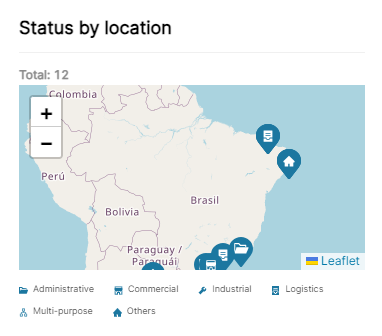
1. Click on a location on the map.
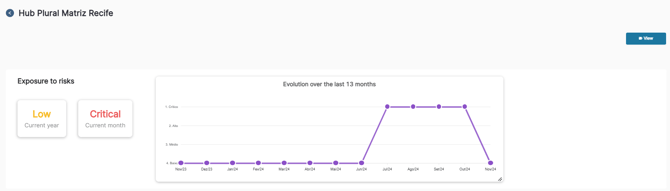
After selecting the desired location, you’ll see its risk exposure and the evolution over the last 13 months. If you click on “view,” you’ll see the cameras at that location.
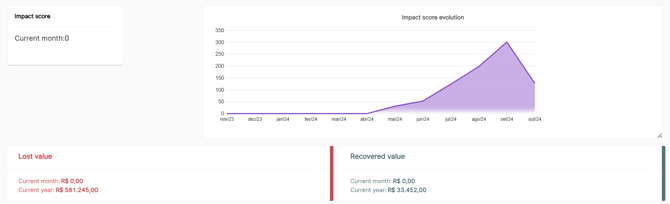
Next, you’ll see the score and the evolution of impact, as well as values lost and recovered.
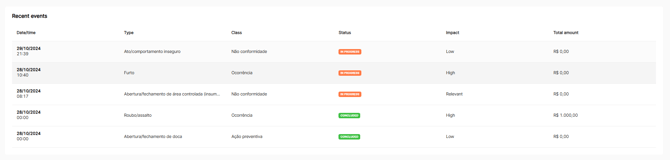
Right below, you’ll see the latest events.
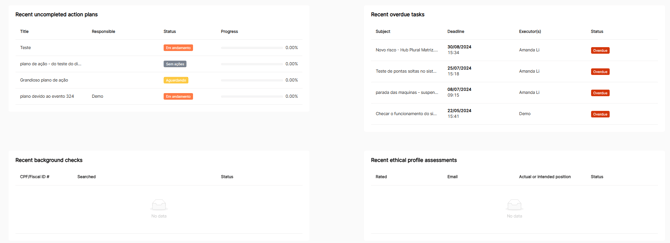
Finally, you’ll find the action plans, recent overdue tasks, background checks, and ethical profile analyses performed.