
Stay alert! If you don't see any functionality described in the tutorial within the system, don't worry. This is due to your access profile and the plan contracted by your company.
Important: It is essential that our team is notified of any changes related to the IPs of the cameras. This ensures continuity of connection and, consequently, monitoring of the area.
Cameras
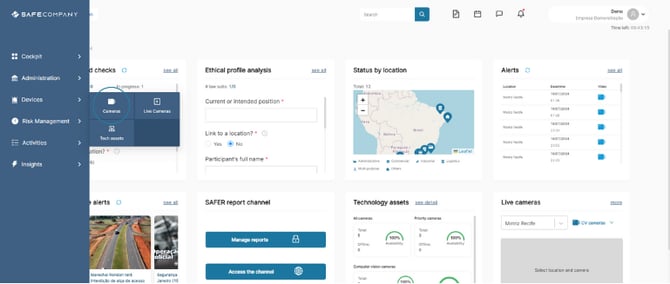
1. To access the cameras, hover over devices in the side menu and click on cameras.
How to register cameras
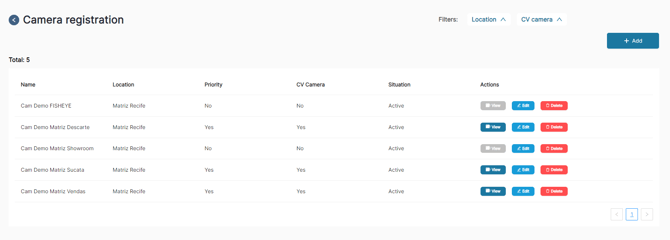
2. Click on + add.
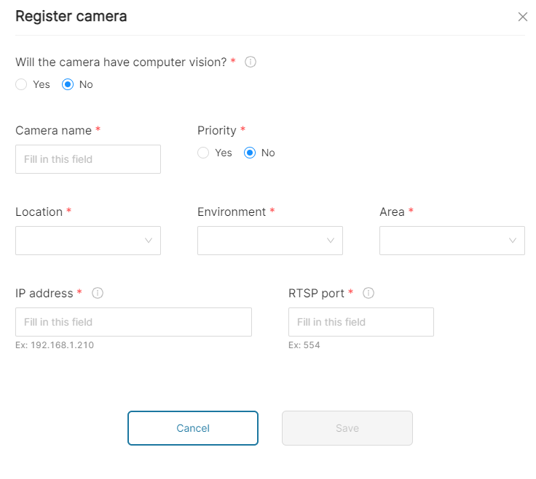
3. Fill in all the information in the form.
4. Click on save.